Choosing Web Accessibility Standards for Your Site
As a web developer, I’ve realised that adhering to web accessibility standards is crucial not only for compliance but also for creating an inclusive user experience. Accessibility ensures that everyone, regardless of their abilities, can access and benefit from your website. In this guide, I’ll share what you need to know about web accessibility standards, how to select the best ones for your needs, and highlight some essential tools that can help you implement these standards effectively.
Sommaire
1The Importance of Choosing the Right Accessibility Standards
Web accessibility standards are vital for ensuring that all users, regardless of their abilities, can navigate and utilise digital content effectively. These standards, such as the Web Content Accessibility Guidelines (WCAG), outline best practices for creating content that is accessible to people with visual, auditory, motor, and cognitive impairments. Without adhering to these standards, you risk excluding a significant segment of your audience, which can lead to missed opportunities and potential legal ramifications. Moreover, well-implemented accessibility practices enhance user experience for all visitors, not just those with disabilities. For instance, clear navigation and content structure make it easier for everyone to interact with your site. According to a survey by the World Health Organization, approximately 15% of the world's population lives with some form of disability, making accessibility a critical consideration for website developers and businesses alike. An inclusive approach not only reflects positively on your brand but also complies with regulations set by various governmental bodies, promoting equal access to information and services for all.
2Essential Criteria for Choosing Accessibility Standards
When selecting web accessibility standards, focus on specific criteria that will guide your implementation strategy effectively. Here are some essential aspects to consider:
1. Comprehensiveness: Look for standards that cover various disabilities and consider diverse user needs. WCAG 2.1 guidelines are a good example, offering a wide range of accessibility checks.
2. Usability: Ensure that the adopted standards are user-friendly. This includes providing text alternatives for non-text content, ensuring keyboard navigability, and using clear language.
3. Compatibility: Check whether your chosen standards integrate well with existing web technologies and platforms, such as content management systems and browsers.
4. Testing Methods: Identify testing tools and strategies you can use to evaluate compliance with the standards. Activities like user testing with individuals who have disabilities can provide invaluable insights.
5. Ongoing Education: Ensure you have resources for continued learning. Accessibility is an evolving field, and staying updated on best practices and new technologies is essential.
By establishing a robust foundation based on these criteria, you can significantly improve your website’s accessibility and create a more inclusive environment for all users.
3Top Tools for Implementing Accessibility Standards
CIW Web Security Associate Online Training with Live Labs and Exam (1D0-671)
Learning 24/7

This comprehensive course covers essential web security practices with a focus on accommodating accessibility standards, making it ideal for developers looking to enhance their skills.
Points forts
- Comprehensive syllabus covering web security and accessibility
- Access to interactive live labs for practical experience
- Includes certification to bolster career prospects
Points faibles
- Pricing may be high for individuals or small organisations
- Can be intensive for individuals without a technical background
CIW Advanced HTML 5.0 & CSS3 Online Training with Live Labs and Exam (1D0-720)
Learning 24/7

Gain advanced knowledge of HTML and CSS to create more accessible and user-friendly web pages. This course is tailored for aspiring web developers aiming for industry-recognised skills.
Points forts
- In-depth coding training with a focus on accessibility
- Live labs provide real-world coding experiences
- Recognised certification upon completion enhances employability
Points faibles
- Requires some prior knowledge of HTML/CSS
- Limited instructor interaction may be discouraging for some learners
Autodesk AutoCAD LT 2025 for MacOS
omegakeys.co.uk

This version of Autodesk not only offers advanced design capabilities but can assist in creating accessible layouts and assets for web content, making it valuable for design professionals.
Points forts
- Industry-leading design software for creating accessible layouts
- Strong user support and learning resources available
- Regular updates ensure compatibility with the latest standards
Points faibles
- Subscription model may be a financial limitation for some
- Steeper learning curve compared to basic design tools
Sony BRAVIA 8 Series 77" OLED 4K HDR Display with Google TV, including 3 years PrimeSupport
Back to the Office

Flat 195.6 cm (77") OLED. 4K Ultra HD 3840 x 2160 pixels 16:9. XR Motion Clarity. DVB-S, DVB-C, DVB-S2, DVB-T, DVB-T2 SECAM D/K, PAL BG. Smart TV Internet TV. Wi-Fi Ethernet LAN Bluetooth. High Dynamic Range (HDR) supported. VESA mounting 300 x 300 mm. E 107 kWh 619 W. Aesthetic slimness, blends in beautifully. The perfect centrepiece for your living space with slim styling that harmonises in any environment, lifelike pictures and atmospheric sound.. Your home. Your cinema.. Every detail, every
Philips global adapter plug for international travel, universal socket for UK, Australian and European standards 【Extra $10 Off with Code】
Gshopper
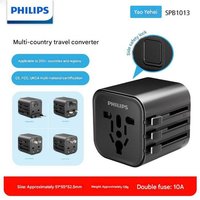
Philips global adapter plug for international travel, universal socket for UK, Australian and European standards 【Extra $10 Off with Code】
Autodesk AutoCAD LT 2025 for MacOS
omegakeys.co.uk
This edition of Autodesk is licensed for personal and non-commercial purposes under an educational license. It offers the exact same features and performance as the commercial version, produces identical output without watermarks, and ensures full professional-grade functionality. Overview Autodesk AutoCAD LT 2025 for MacOS is a streamlined, professional-grade 2D drafting and documentation software designed for architects, engineers, and designers who require precision, reliability, and compatib
4Comparative Overview of the Selected Tools
| Tool | Cost (GBP) | Key Feature | Pros/Cons |
|---|---|---|---|
| CIW Web Security Associate | 499 | Web security training with focus on accessibility | Pros: Comprehensive, Certification; Cons: Pricey |
| Advanced HTML & CSS3 | 499 | In-depth coding training for accessibility | Pros: Practical knowledge; Cons: Requires prior knowledge |
| AutoCAD LT for MacOS | 69.99 | Tool for designing accessible layouts | Pros: Industry standard; Cons: Subscription required |
This table provides a quick view of the costs, key features, and advantages/disadvantages of the tools discussed. This comparative overview should help you determine which tool best suits your needs based on your budget and the specific features you require.
5Practical Guidance for Using Accessibility Standards
Successfully implementing web accessibility standards goes beyond just knowing the rules; it requires actionable strategies. Here are some practical tips:
1. Conduct Accessibility Audits: Regularly evaluate your website's accessibility through audits using tools like WAVE or Axe. This will help identify any compliance issues you may need to address.
2. Integrate User Feedback: Utilise surveys and feedback forms to gather insights from users with disabilities. This will illuminate areas of improvement that may not be apparent in an audit.
3. Stay Informed: Follow updates on accessibility guidelines from trusted sources, such as the World Wide Web Consortium (W3C), to ensure your site aligns with ongoing changes in standards and practices.
4. Training and Workshops: Encourage ongoing education for your development team and ensure they are trained in accessibility best practices. Online courses and webinars can provide essential skills.
5. Collaborate with Experts: Engaging with accessibility consultants or experts can provide tailored guidance for your specific scenario and ensure a thorough approach to compliance.
Effective implementation of accessibility standards is a continual process. With dedication and the right resources, you can create a website that is not only legally compliant but also welcoming to all users.
Conclusion
In conclusion, understanding and implementing web accessibility standards is not just a legal requirement but a moral obligation to ensure equal access for all. I encourage you to start by assessing your current site and applying the standards discussed in this guide. For practical tools and training, consider the resources I've highlighted—ensuring your website is accessible can significantly improve user experience and expand your audience. Take the first step towards accessibility today!